
Golf course point of sale
Golf Course POS System for the Pro Shop, Restaurant, and Course
Eagle Club Systems is a golf course POS system built for pro shop, restaurant, bar, snack bar, and beverage cart sales, with a live connection to the tee sheet, inventory, memberships, payments, and reporting. Staff check out golfers quickly and keep one customer account across the property.
- Checkout connected to the tee sheet. Ring green fees, merchandise, and food and beverage on the same customer record used at check-in.
- The tickets a golf shop actually rings. Split tenders, tabs, gift cards, house accounts, member charges, returns, and rain checks.
- Food and beverage on the same system. Open tabs, apply modifiers, print kitchen tickets, and take beverage-cart payments without a second register.
- Inventory, reporting, and QuickBooks in one place. Barcodes, purchase orders, end-of-day close, and exports into QuickBooks Online, QuickBooks Desktop, or Sage 50.
Or call +1 727-433-8707, or email info@eagleclubsystems.com
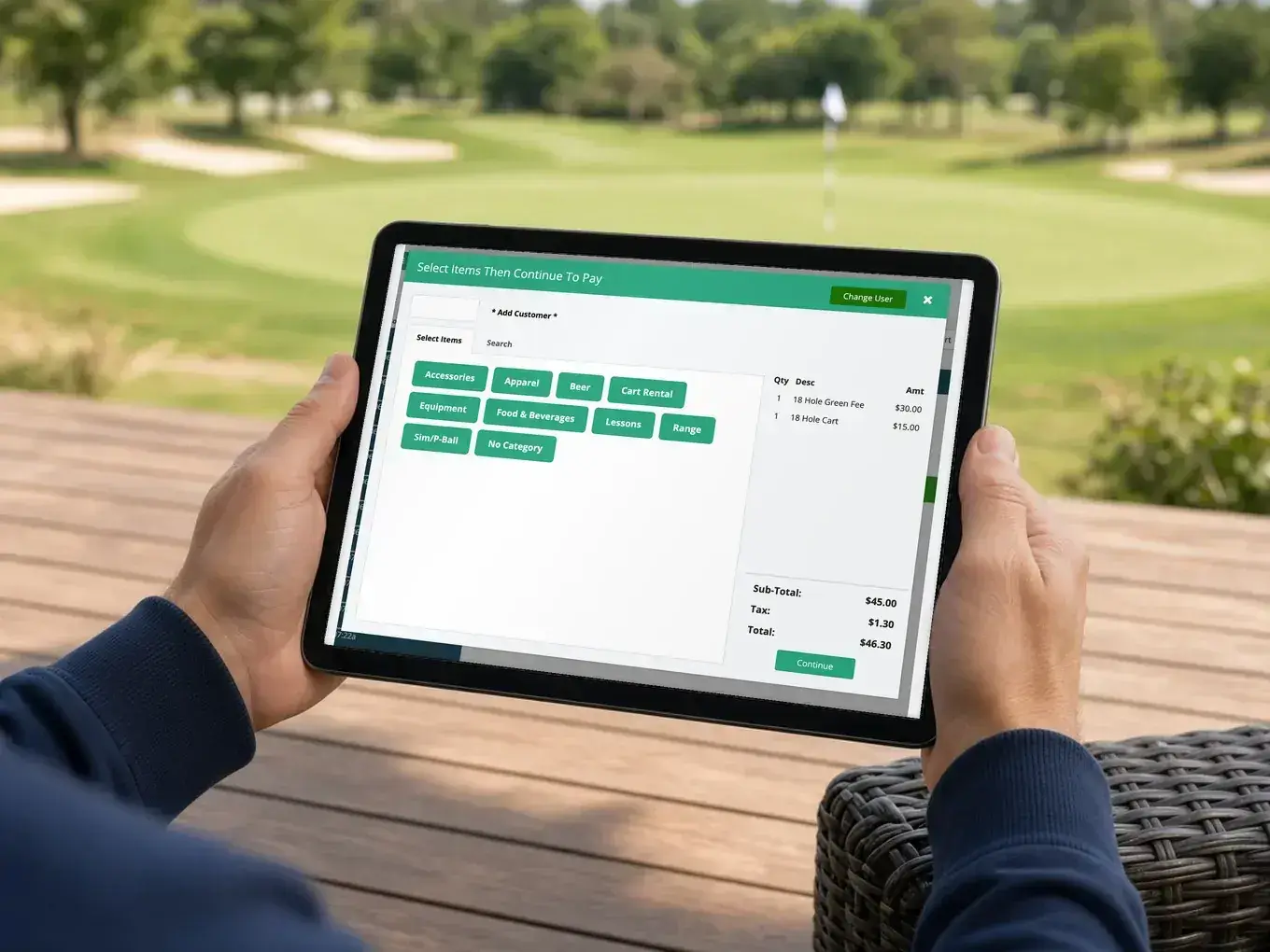
What this golf course POS system includes
A generic retail register is not enough for a golf course. Green fees, merchandise, food and beverage, member charges, gift cards, split tenders, and rain checks all happen in the same day, often while a line is forming at the counter. Eagle Club Systems is built for that day, not bolted on later.
Pro shop checkout
Ring green fees, retail, and other shop items on a system built for golf operations, not a generic store.
Tee sheet check-in
Bookings, sales, and memberships stay in sync, so check-in and checkout use the same customer record. See the tee sheet software.
Member charging and house accounts
Charge members and house accounts at the counter, in the restaurant, or on the course, on one statement.
Split tenders
Split a ticket across cash, cards, gift cards, house accounts, club credit, and rain checks when that is how the group wants to pay.
Gift cards
Sell and redeem gift cards inside the same platform, including online sales through integrated card processing.
F&B tabs and modifiers
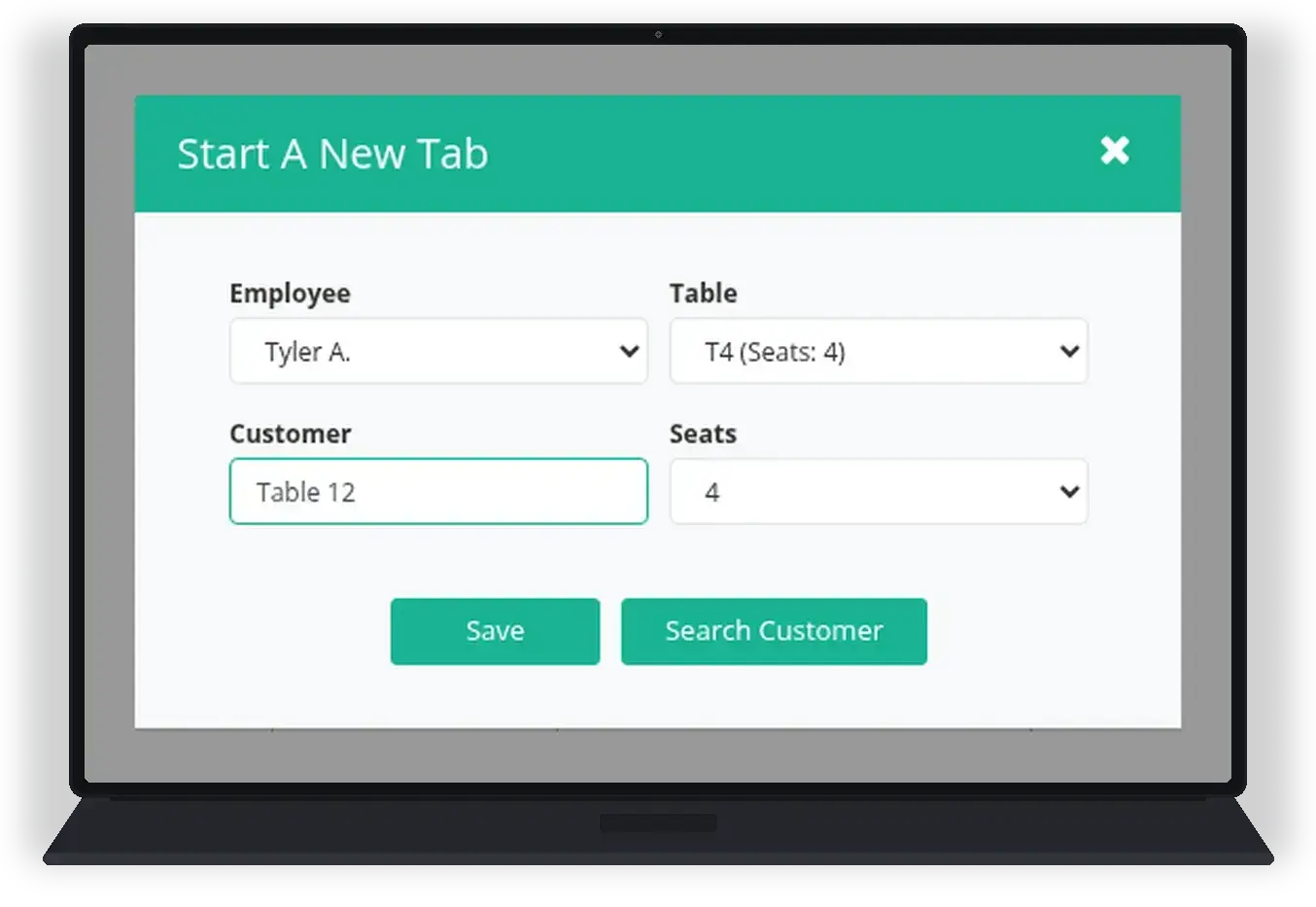
Open tabs, assign table numbers, and apply modifiers, tips, taxes, and service charges. See the food and beverage POS.
Kitchen tickets
Send food tickets to the kitchen over USB, Bluetooth, or Ethernet printers. There is no kitchen display system or table map today.
Beverage cart
Take food, drink, and member charges on the cart with mobile payments, including Clover Flex support for chip, tap, and Apple Pay.
Inventory with barcodes
Track on-hand counts, barcodes, and sizes for the shop and F&B, updated with POS activity. See inventory management.
Purchase orders
Build purchase orders, receive stock, watch low-stock levels, and review cost and margin in the same system.
Integrated payments
CardPointe is available as an integrated option. Courses may also use another processor on a non-integrated basis.
Reporting, close, and QuickBooks
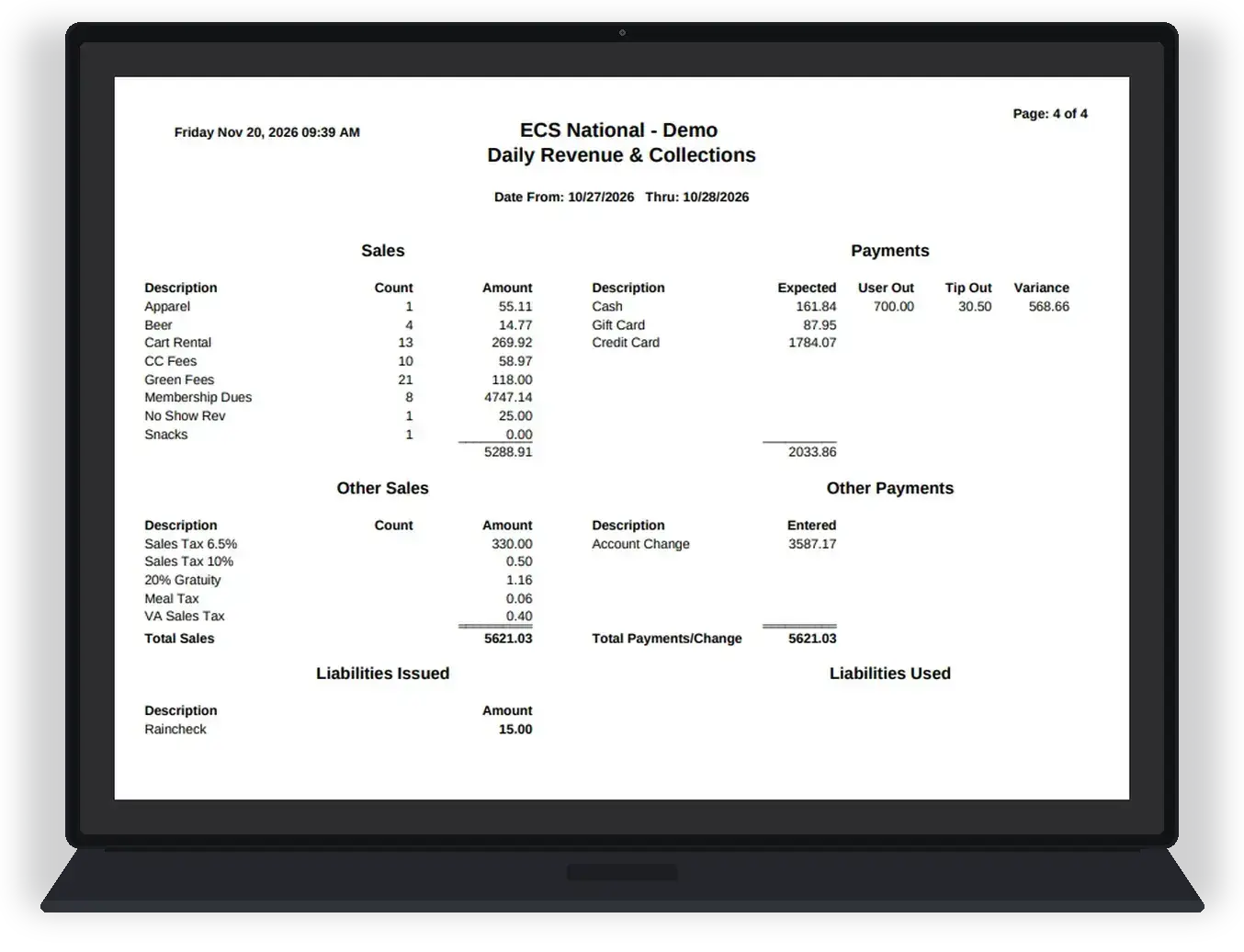
Close the day with payment, tax, gratuity, and Z-Out reports. Connect to QuickBooks Online, QuickBooks Desktop, or Sage 50. See golf course reporting.
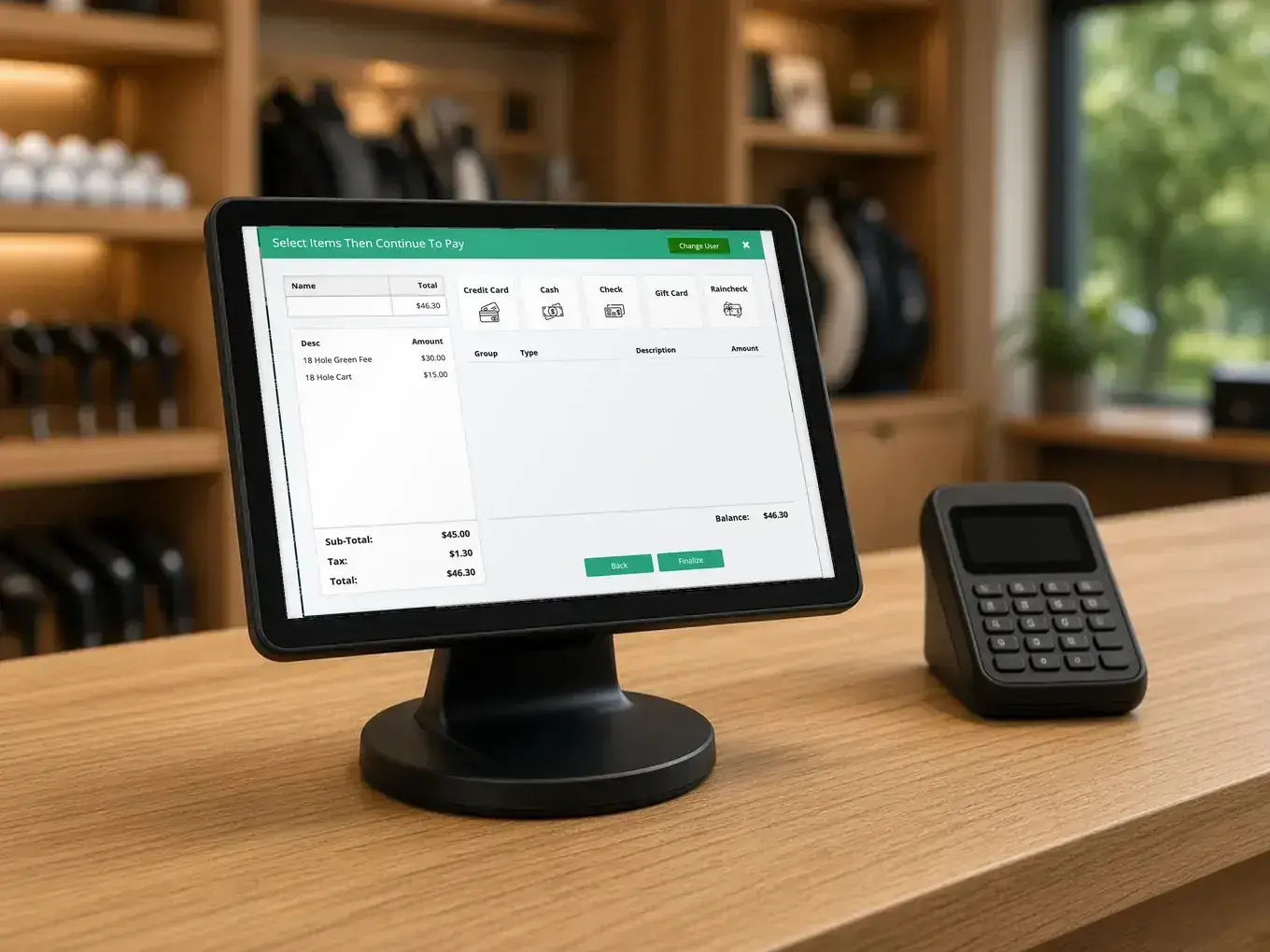
Split tenders, gift cards, and rain checks on one ticket
The payment screen is built for the way a golf shop actually closes a ticket. Staff can combine cash, credit, a gift card, a rain check, a house account, or a check without leaving the sale or opening a second program.
Gift cards, house accounts, and club credit stay inside the same platform, so stored value and member charging are not a weekend workaround.
Restaurant, bar, and beverage cart POS in the same system
Open a tab, assign a table and seats, apply modifiers, and print a kitchen ticket without a separate hospitality register. Members can charge lunch, a drink on the cart, and a box of balls to the same account.
Mobile ordering, table numbers, and the Clover handheld app are supported. Eagle Club Systems does not currently include a kitchen display system or table maps.
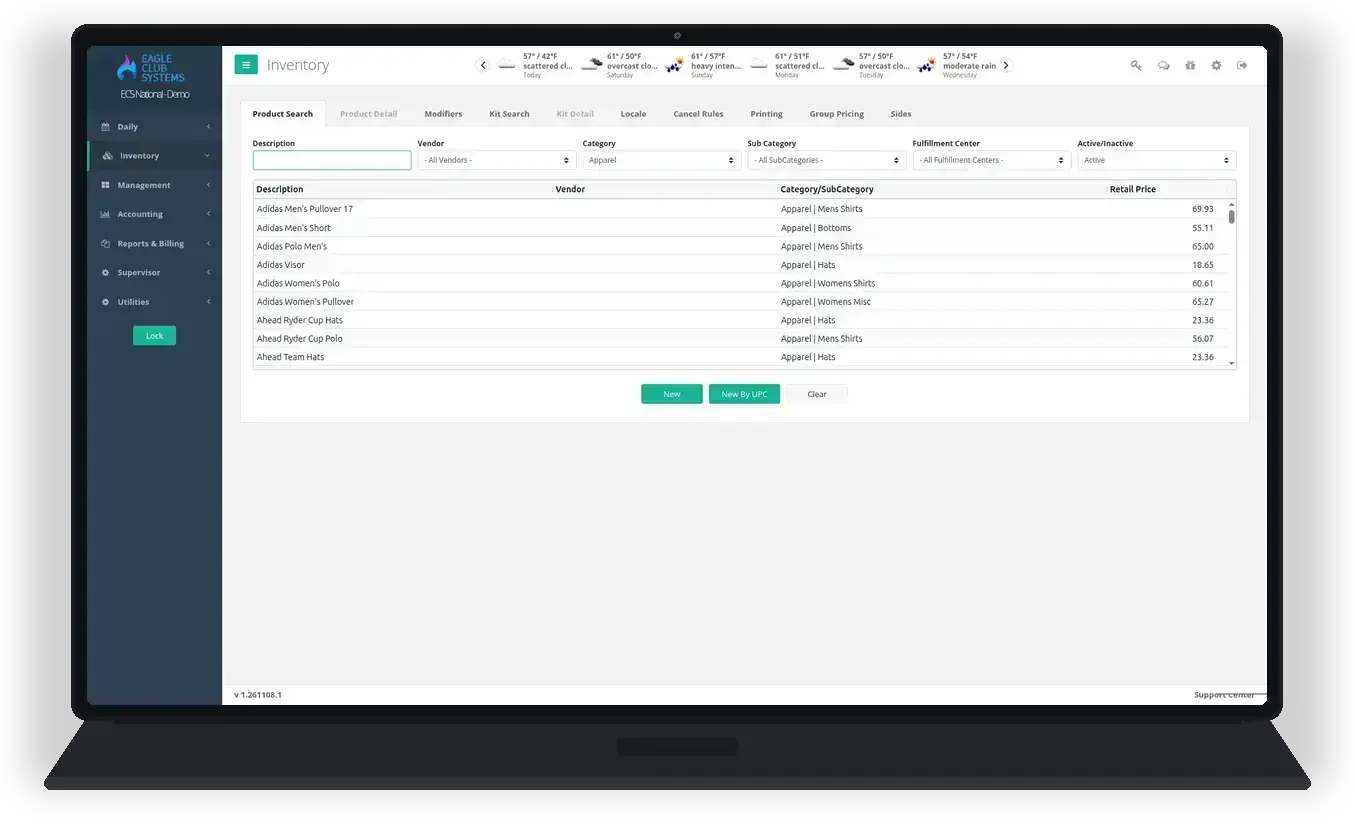
Inventory, barcodes, and purchase orders that follow the sale
When a sale rings up at the register, inventory and reporting stay on the same system. Courses can track products, departments, and vendors; create purchase orders and receive stock; use barcodes and sizes; and review cost, margin, and sales for both the pro shop and food and beverage.
Multi-course operators can share inventory across properties or keep each course separate.
One system for the tee sheet, POS, F&B, memberships, and marketing
The person who booked a tee time, bought a glove, opened a tab, and charged a guest fee should be one customer, not four records to reconcile at month end. Eagle Club Systems keeps the tee sheet, golf POS, food and beverage, membership billing, and marketing tools on one customer account.
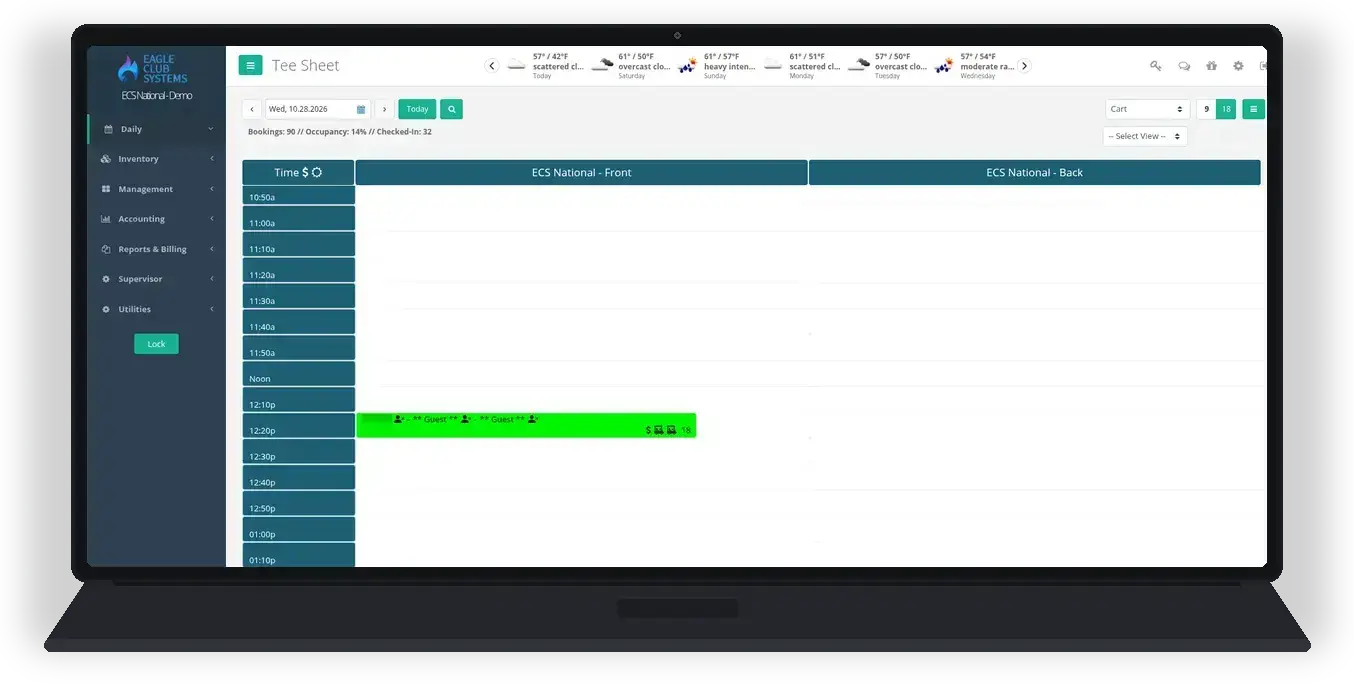
- Tee sheet and online booking, including online booking with no booking fees, plus Reserve with Google.
- Golf POS and food and beverage on the same ticket and the same account.
- Membership billing and house accounts, with autopay and statements that can include shop and F&B charges.
- Marketing tools that use the same customer record as the tee sheet and POS.
- Reporting for rounds, sales, payments, and end-of-day close, with QuickBooks and Sage 50 connections.
Hardware and payments that work where your staff already stand
- Desktops, laptops, and tablets you already have, on Windows or Mac.
- Modern browsers, including Chrome, Safari, Edge, and Firefox. The POS is not restricted to Chrome.
- Receipt and kitchen printers over USB, Bluetooth, or Ethernet, depending on the workstation.
- Mobile credit card machines, including Clover Flex support, for chip cards, tap, Apple Pay, and other mobile wallets at the counter, on the patio, or on the course.
- CardPointe is available for integrated processing. You are not required to use it. Payment pricing may include interchange-plus, flat-rate, surcharge, or cash-discount structures, based on configuration.
- Cloud-based, with no on-site server required. An internet connection is required; a hotspot or LTE backup can be used if primary internet fails.
Who this golf POS is for
This golf course POS system is built for public, private, daily-fee, semi-private, municipal, and resort golf courses, plus indoor simulator facilities and golf operations that also run a restaurant or beverage cart. It fits facilities in the United States and Canada that want one register connected to the tee sheet, rather than a separate retail system stitched on later.
Why courses switch to a golf POS instead of a retail register
If the POS is not connected to the tee sheet and member accounts, staff slow down, reports do not match, and managers spend the evening reconciling. Compare a typical retail setup with Eagle Club Systems, then look at the full platform comparisons.
| Need | A typical retail POS | Eagle Club Systems |
|---|---|---|
| Check-in from the tee sheet | Often a second program, with names retyped at the register | The same customer record as the tee sheet |
| Member and house account charges | Often added later, or handled off to the side | Member charging and house accounts in the same POS |
| Restaurant and beverage cart | A separate hospitality system | F&B tabs, modifiers, kitchen tickets, and cart payments on the same platform |
| Inventory | A standalone retail tool, or a nightly sync | Barcodes, purchase orders, and counts tied to the sale |
| Payments | Often one required processor | CardPointe is available; another processor can be used on a non-integrated basis |
| Setup and contracts | Varies by vendor | No long-term contracts. implementation and data conversion at no charge |
What operators say about the POS
"If you are searching for the perfect POS system for your golf course. You found it. The owner (Tyler) and his support team are always available and ready to help any time and they are always open to suggestions to improve their system. My staff loves the ease of use and the constant improvements."
Keith Weachter, PGA, Stone Creek Golf Club, Valdosta, GA
"The support from ECS has been outstanding, any time we have a question, they're on it immediately. The mobile credit card machines have been a game changer, letting us accept Apple Pay and tap payments right on the course. I highly recommend Eagle Club Systems for your golf course POS system."
Mike Pollick, Fallen Timbers Fairways Golf Course, Waterville, Ohio
"I've used multiple point of sale systems over the years, and Eagle Club is the first one that does it all: fast reports, easy navigation, and support that actually cares. My search is over."
Darrel Conner, PGA, Cambridge Golf Course, Evansville, IN
Mike Pollick talks through the mobile credit card machines and support in this short video. More operator stories are on our testimonials page, and in the Thorn Apple Country Club case study.




A buying checklist for your next POS demo
Use this as a starting point in any vendor demo, including ours. If a system cannot show these on a live screen, the rest of the walkthrough is decoration.
- One customer who has a tee time, a shop purchase, a food tab, and a house-account charge, then one statement.
- Check-in from a booked tee time, then ring the green fees and carts without re-entering names.
- Split tenders, gift cards, rain checks, returns, and member pricing on the same ticket.
- A restaurant or beverage-cart tab that stays open and can fire a kitchen ticket.
- Inventory that moves with the sale, plus a purchase order and an end-of-day close that matches payments.
Golf course POS questions
What is a golf course POS system?
A golf course POS system is point of sale software built for golf operations. It handles pro shop and food and beverage sales, member charges, gift cards, and payments, and it should connect to the tee sheet, inventory, and reporting. Eagle Club Systems includes that connected golf POS in one platform.
Does the Eagle Club Systems POS integrate with the tee sheet?
Yes. The golf POS is integrated with the tee sheet, so bookings, sales, memberships, and customer accounts stay in sync.
Can we accept Apple Pay and tap payments on the course?
Yes. Mobile credit card machines can accept Apple Pay and tap payments on the course. Clover Flex mobile payment support is listed among Eagle Club Systems integrations.
Do we have to use CardPointe as our payment processor?
No. CardPointe is available as an integrated option, but courses may choose another processor and use it on a non-integrated basis.
What hardware and browsers does the POS support?
Eagle Club Systems works through modern browsers on common desktops, laptops, tablets, and mobile devices, including Windows and Mac, and browsers such as Chrome, Safari, Edge, or Firefox. Receipt printers can use USB, Bluetooth, or Ethernet connections, depending on the workstation setup.
Is Eagle Club Systems cloud-based?
Yes. It is cloud-based and mobile-friendly, with no on-site server required. An internet connection is required; a hotspot or LTE backup can be used if primary internet fails.
Does the POS include food and beverage, inventory, and QuickBooks?
Yes. Restaurant, bar, snack bar, and beverage cart POS, inventory with barcodes and purchase orders, and connections to QuickBooks Online, QuickBooks Desktop, and Sage 50 are part of the same platform as the golf POS.
Is there a long-term contract, and what does setup cost?
There are no long-term contracts. implementation and data conversion are provided at no charge. Pricing is reviewed in a demo rather than published as a self-serve table.
Related pages
See this golf course POS on your tickets
Bring a typical Saturday checkout, your current hardware, and a payment statement. We will show walk-up check-in, split payments, member charges, tabs, and the end-of-day close.
Or call +1 727-433-8707, or email info@eagleclubsystems.com