
Golf Course Dynamic Pricing That Protects Loyalty
Most arguments about golf course dynamic pricing are not really about math. They are about trust. A member who prepaid for access does not want to see a public rate on Saturday morning that undercuts what their dues are supposed to be worth. A resident or weekday regular feels the same way when an unpublished “online only” number shows up on a neighbor’s phone.
I have spent more than 24 years in golf operations, and I have also seen the other side of this: a prime Saturday sitting half empty in April because the rate never moved, or a twilight window that could have been a second wave of play if the price had reflected demand. Yield and loyalty are not opposites. They fall apart when rates live in a spreadsheet, a third-party booking site, and a starter’s memory at the same time.
Our golf tee sheet software page covers the module, including dynamic pricing tools with Eagle Rev IQ. This guide is the operator playbook: how to think about day-part and occupancy rules, how to protect members and residents, and what to make a vendor show you in a live demo.
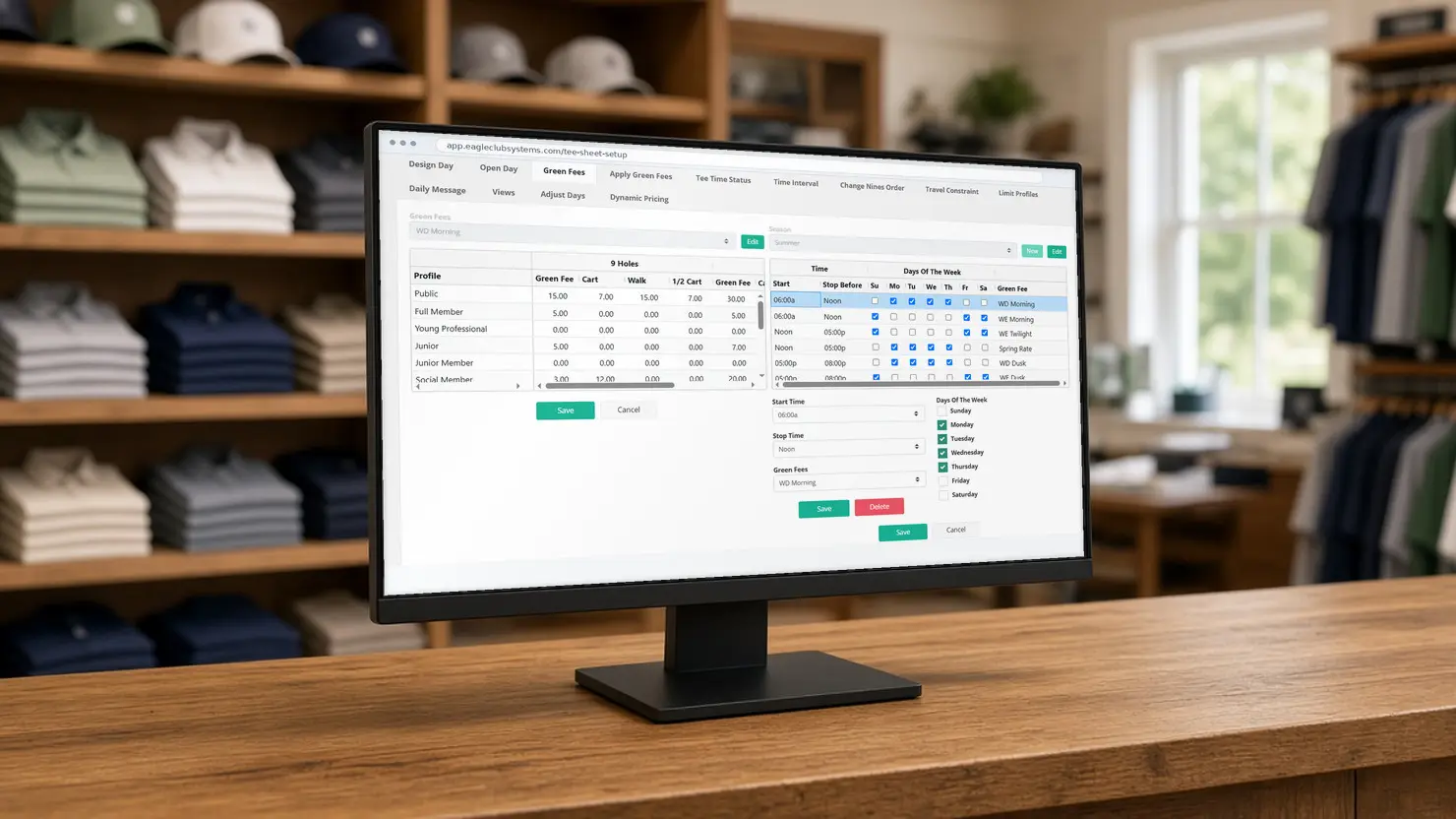
Picture a Wednesday in shoulder season. The morning is light, the afternoon looks busier than the book suggested yesterday, and a well-meaning assistant updates the “online special” in one system while the desk is still quoting yesterday’s walk-up rate. By Friday, a member has screenshot the cheaper public price, the starter is making exceptions, and nobody can say which number was official. That is not a pricing strategy. That is three rate cards.
What golf course dynamic pricing should actually control
Dynamic pricing is not a license to change the rate every hour because the parking lot looks busy. At a golf course it should be a set of rules that the tee sheet applies consistently, whether the booking comes from the phone, the website, the shop, or a walk-up.
The rules that matter in practice are simple:
- Day-part pricing. Weekday mornings, weekend prime, twilight, and dusk should be allowed to carry different rates, with the days of the week spelled out, not inferred from a printed card.
- Occupancy-based pricing. When a date or a window is filling up, the public rate can move. When it is not, the rate can come down inside a range you already approved.
- Dollar or percentage adjustments. Staff should be able to apply a clear adjustment to a base rate, then see the result on the same sheet the customer will book.
Eagle Club Systems includes those tools under Eagle Rev IQ: day-part and occupancy-based pricing, and dollar or percentage rate adjustments, on the same cloud tee sheet as online booking and check-in. Ask to see the exact screen where those rules are written, then book a time and confirm the rate that appears for a public golfer, a member, and a twilight booking.
How to protect members, residents, and other loyalty rates
The loyalty question is the one I hear most, and it is fair. Dynamic pricing hurts relationships when the public rate is allowed to fall through the member or resident price, or when a restricted window is quietly opened to anyone with a link.
Treat protection as a setup task, not a later apology:
- Put a floor under every public rate so a discount cannot cross a member, resident, or contracted price without someone deliberately changing the rule.
- Use profile limits so member-only, resident, or junior windows stay closed to the open internet.
- Keep prepaid, pay-at-course, and online reservations on one sheet, so the desk is never quoting a different number than the booking engine.
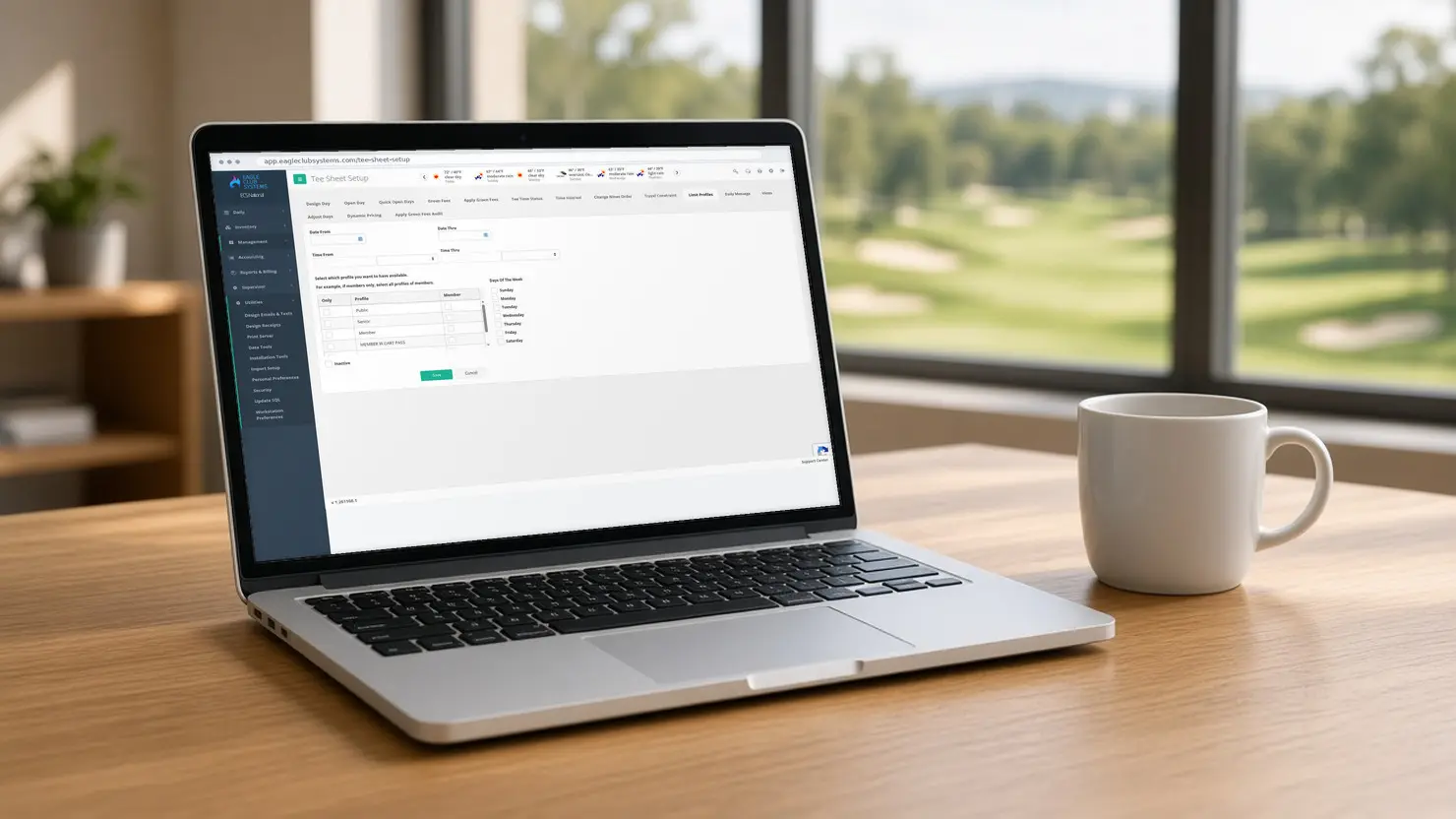
On Eagle Club Systems, Limit Profiles in Tee Sheet Setup let you restrict a date or time range to selected player profiles. Public, Senior, Member, and others, and specify whether the limit applies to members. That is the practical way to keep a members’ morning from becoming a public fire sale. Membership billing should already know who those members are, so the rate and the access rule are not maintained in a second list.
If your course also has municipal or resident rates, bring those examples to the demo. The test is not whether a vendor can “do dynamic pricing.” The test is whether your exceptions still hold when a prime window starts to fill.
Keep one rate truth across the desk, the starter, and the internet
Pricing only works when inventory and rates are the same thing. If a third-party marketplace can sell a time your sheet still shows as available at a different price, you will spend the morning untangling confirmations. If the starter has a printed card and the website has a live one, staff will pick whichever is easier in the moment.
A modern tee sheet should carry prepaid and pay-at-course reservations together, apply the correct profile rate at the time of booking, and push that same rate to point of sale at check-in. Golf course reporting should then show rounds and revenue by rate, day-part, and profile, so you can tell whether a change actually improved the day.
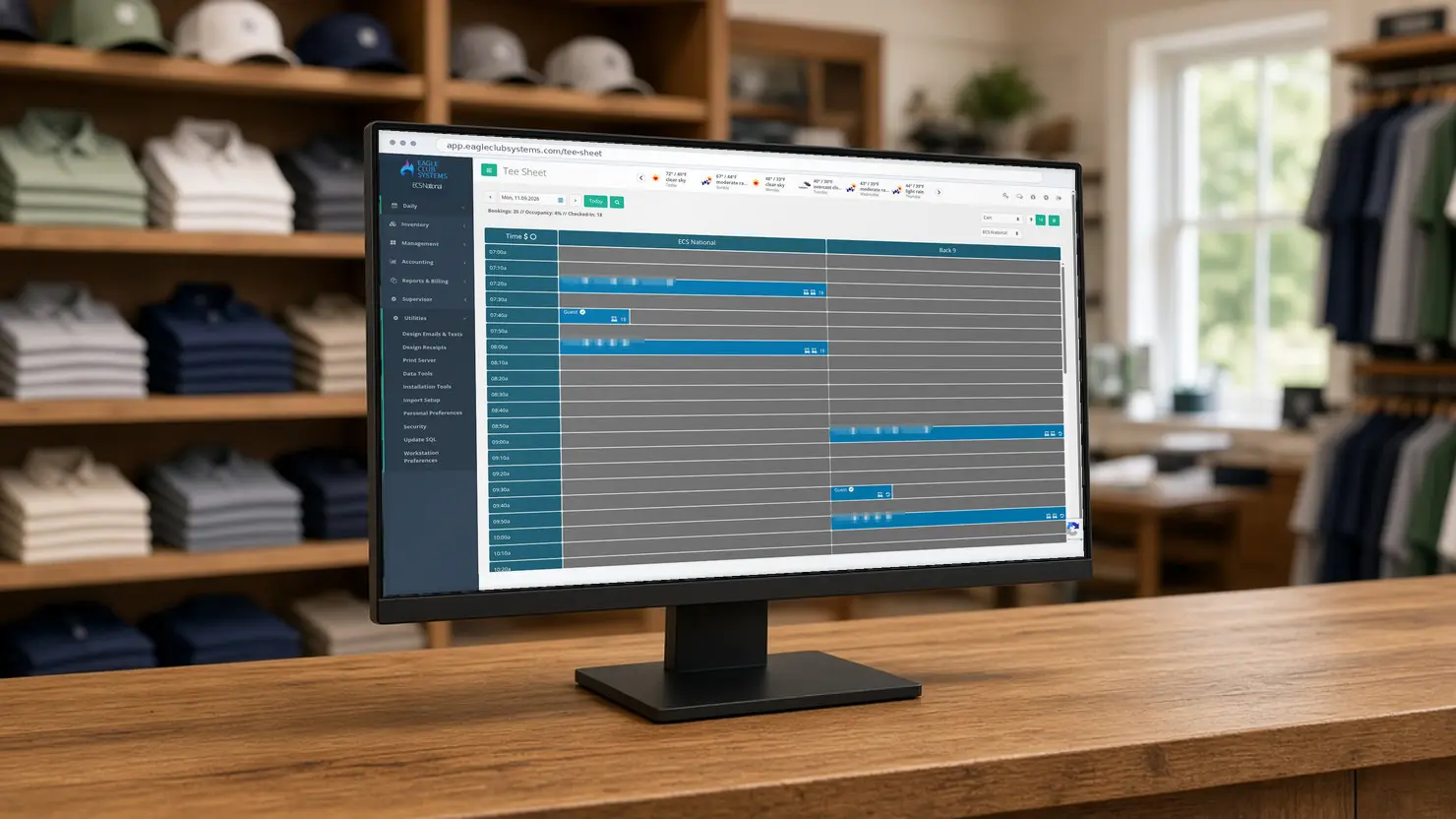
Occupancy in the header of the sheet is useful here. If you cannot see how full a day already is, occupancy-based rules are just a guess. The ECS National demo sheet shows bookings, occupancy, and checked-in counts on the same screen the desk uses all day.
When leftover times still need a push, marketing and operational SMS should start from the golfers who can actually take that window, and from rates the sheet will honor, not from a list exported last spring. Managed marketing is a paid add-on, not part of the software itself.
What to make the vendor prove in a demo
Do not buy golf course dynamic pricing from a slide. Bring your rate card, a member or resident exception, and a real Saturday.
- Build a weekday morning rate, a weekend prime rate, and a twilight rate, then show how those day-parts apply on the public booking engine and at the desk.
- Raise or lower a public rate from occupancy or a dollar/percentage adjustment, and confirm a member or resident price does not move with it.
- Close a window to everyone except a member profile, then try to book it as a public golfer online.
- Check a player in and confirm the POS ticket matches the rate the sheet just sold.
- Pull the report you would take to an owner or a board the next morning, by day-part and by profile.
On Eagle Club Systems, implementation and data conversion are included at no charge, there are no long-term contracts, and most courses go live in under two weeks after data is provided. Support is U.S.-based, seven days a week, typically 6 a.m. to 10 p.m. We do not claim 24/7 coverage, and we do not publish a self-serve price table. Book a demo with your rate card and a typical week, and we will run those tests on the tee sheet, including Eagle Rev IQ.
Dynamic pricing is a tool for filling the right times at the right number. If it surprises your members or confuses your staff, the issue is usually not the idea. It is that the rules never lived on the same sheet everyone else uses.
FAQ
What is golf course dynamic pricing?
Golf course dynamic pricing is a set of rules that adjust green fees by day-part, occupancy, or a defined dollar or percentage change, while the tee sheet, online booking, and the desk all use the same live inventory and rate.
Does dynamic pricing have to hurt member or resident loyalty?
No: not if public rates cannot undercut member, resident, or contracted prices, and if restricted windows stay limited to the right player profiles. Those protections should be part of setup, not a manual exception at the starter’s window.
What is Eagle Rev IQ?
Eagle Rev IQ is Eagle Club Systems’ dynamic pricing toolkit on the tee sheet. It includes day-part and occupancy-based pricing and dollar or percentage rate adjustments, alongside the same booking, check-in, and rate tools used for everyday play.
Can we still use prepaid and pay-at-course tee times with dynamic rates?
Yes. A tee sheet should keep prepaid and pay-at-course reservations on the same inventory. Confirm in a demo that the rate the golfer was quoted is the rate that appears at check-in.
How do we see whether a pricing change actually worked?
Use reporting that breaks out rounds and revenue by day-part and by player profile, not just a single daily total. If rates, bookings, and POS do not share a database, you will be comparing exports instead of reading the day. —